

How to Use InstaBanana Virtual Try-On: Complete Step-by-Step Guide for Perfect AI Fashion Fitting
Learn how to use InstaBanana's AI-powered virtual try-on technology in 4 simple steps. Upload your photo, select clothing, and see realistic results instantly. Master virtual fitting for better online shopping decisions.
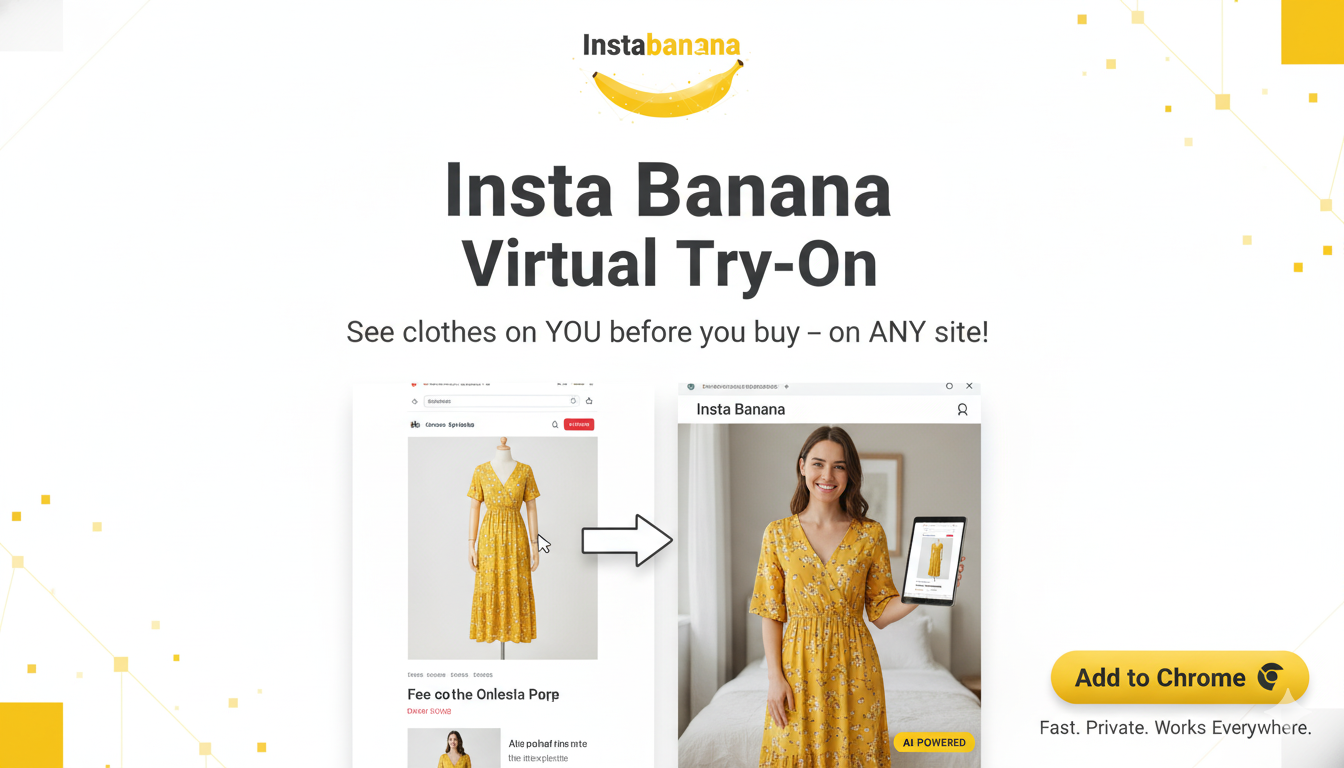
How to Use InstaBanana Virtual Try-On: Complete Step-by-Step Guide for Perfect AI Fashion Fitting
Virtual try-on technology is revolutionizing online shopping, and InstaBanana is at the forefront of this fashion tech revolution. If you're tired of buying clothes online only to discover they don't fit or look different than expected, this comprehensive guide will show you exactly how to use InstaBanana's AI-powered virtual try-on feature to see how clothes look on you before you buy.
What is Virtual Try-On Technology?
Virtual try-on, also known as AI fashion fitting or virtual fitting room technology, uses artificial intelligence and advanced image processing to digitally place clothing items onto your photos. This innovative technology allows you to:
- See how clothes fit your body shape and size
- Visualize different styles before making a purchase
- Reduce returns by making informed buying decisions
- Save time by trying on multiple outfits virtually
- Shop with confidence knowing exactly how items will look
InstaBanana's virtual try-on platform uses cutting-edge AI algorithms to create photorealistic results that show you exactly how clothing will appear on your body, making it one of the best virtual try-on apps available today.
Why Use InstaBanana for Virtual Try-On?
Before we dive into the step-by-step tutorial, here's why thousands of fashion lovers choose InstaBanana for their virtual try-on needs:
- Photorealistic Results: Our AI technology creates incredibly realistic virtual try-on images
- Works with Any Clothing: Try on items from Amazon, Zara, ASOS, and thousands of other online stores
- Easy to Use: Simple 4-step process that takes just minutes
- No Downloads Required: Use our web platform directly in your browser
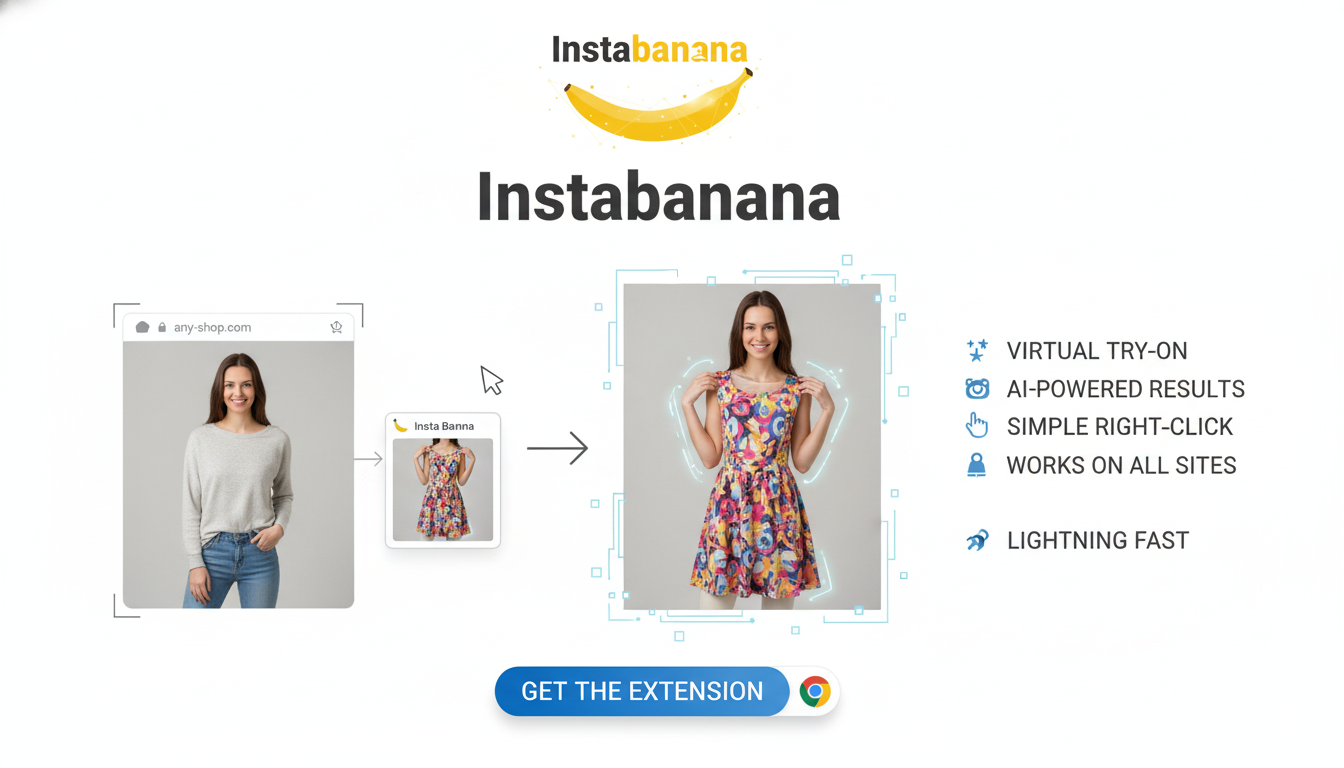
- Chrome Extension Available: Try on clothes directly from shopping websites
- Instant Results: Get your virtual try-on results in seconds
Step-by-Step Guide: How to Use InstaBanana Virtual Try-On
Follow these four simple steps to master virtual try-on and transform your online shopping experience.
Step 1: Upload Your Photo
The first step in using InstaBanana's virtual try-on is uploading a clear photo of yourself. This photo serves as the base for the AI to place clothing items onto.
 Step 1: Upload your photo - InstaBanana Virtual Try-On Tutorial
Best Practices for Your Photo:
- Full Body Shot: Make sure your entire body is visible from head to toe
- Front-Facing Pose: Stand straight, facing the camera directly
- Good Lighting: Use natural light or well-lit indoor spaces
- Neutral Background: A plain background helps the AI focus on you
- Fitted Clothing: Wear something relatively fitted so the AI can accurately map your body shape
- High Resolution: Use a clear, high-quality photo for best results
Why This Matters: The quality of your input photo directly impacts the quality of your virtual try-on results. A clear, well-lit, full-body photo will produce the most realistic and accurate virtual fitting results.
Step 2: Preview and Confirm Your Images
Once you've uploaded your photo, InstaBanana will display a preview of your image. This is your chance to review and confirm that everything looks good before proceeding.
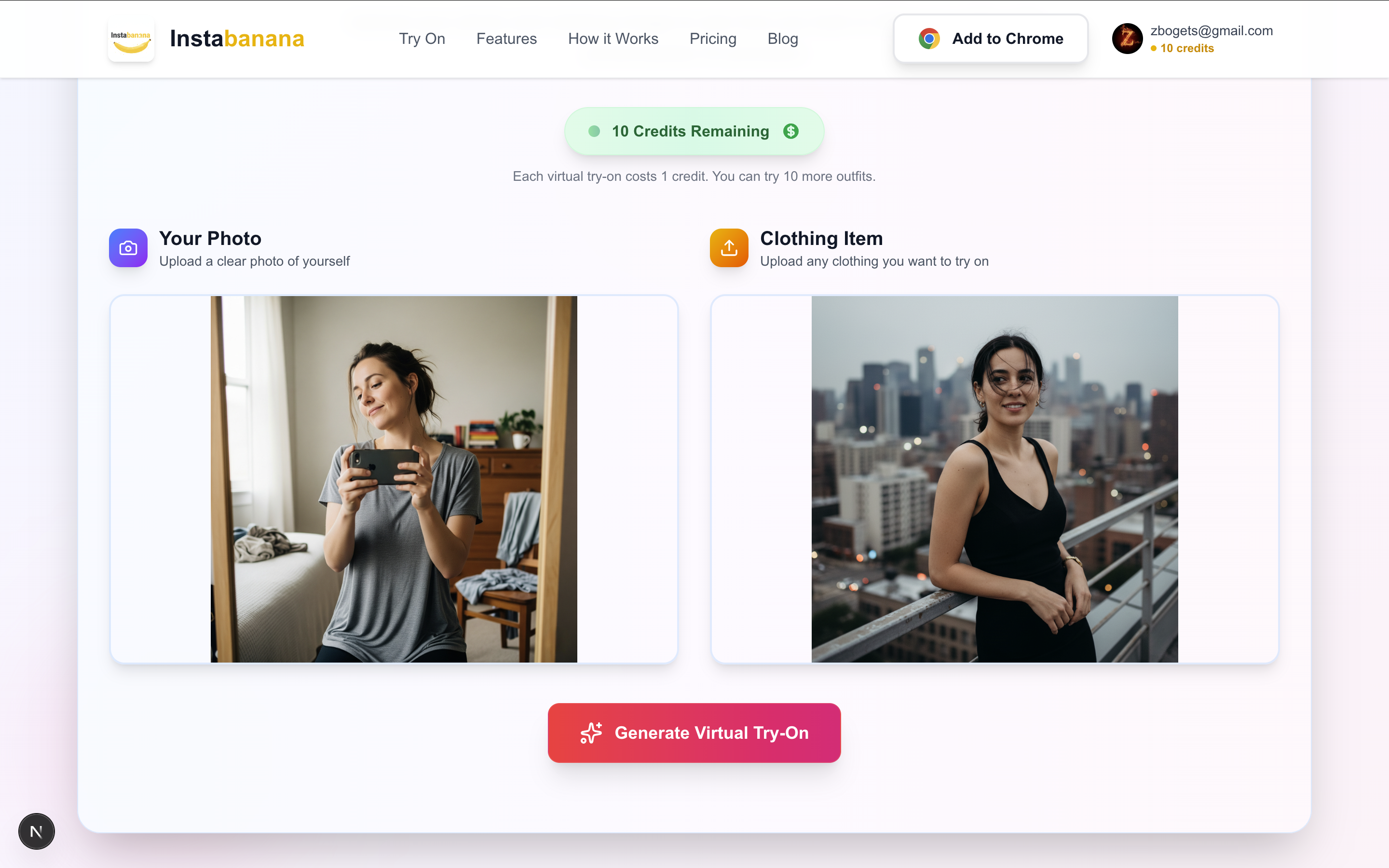 Step 2: Preview your images - InstaBanana Virtual Try-On Tutorial
What to Check:
- ✅ Your entire body is visible in the frame
- ✅ The image is clear and not blurry
- ✅ Lighting is adequate
- ✅ You're positioned correctly (front-facing, standing straight)
If everything looks good, proceed to the next step. If not, you can upload a different photo for better virtual try-on results.
Step 3: Processing Your Virtual Try-On
After confirming your photo, InstaBanana's AI technology begins processing your virtual try-on. This is where the magic happens!
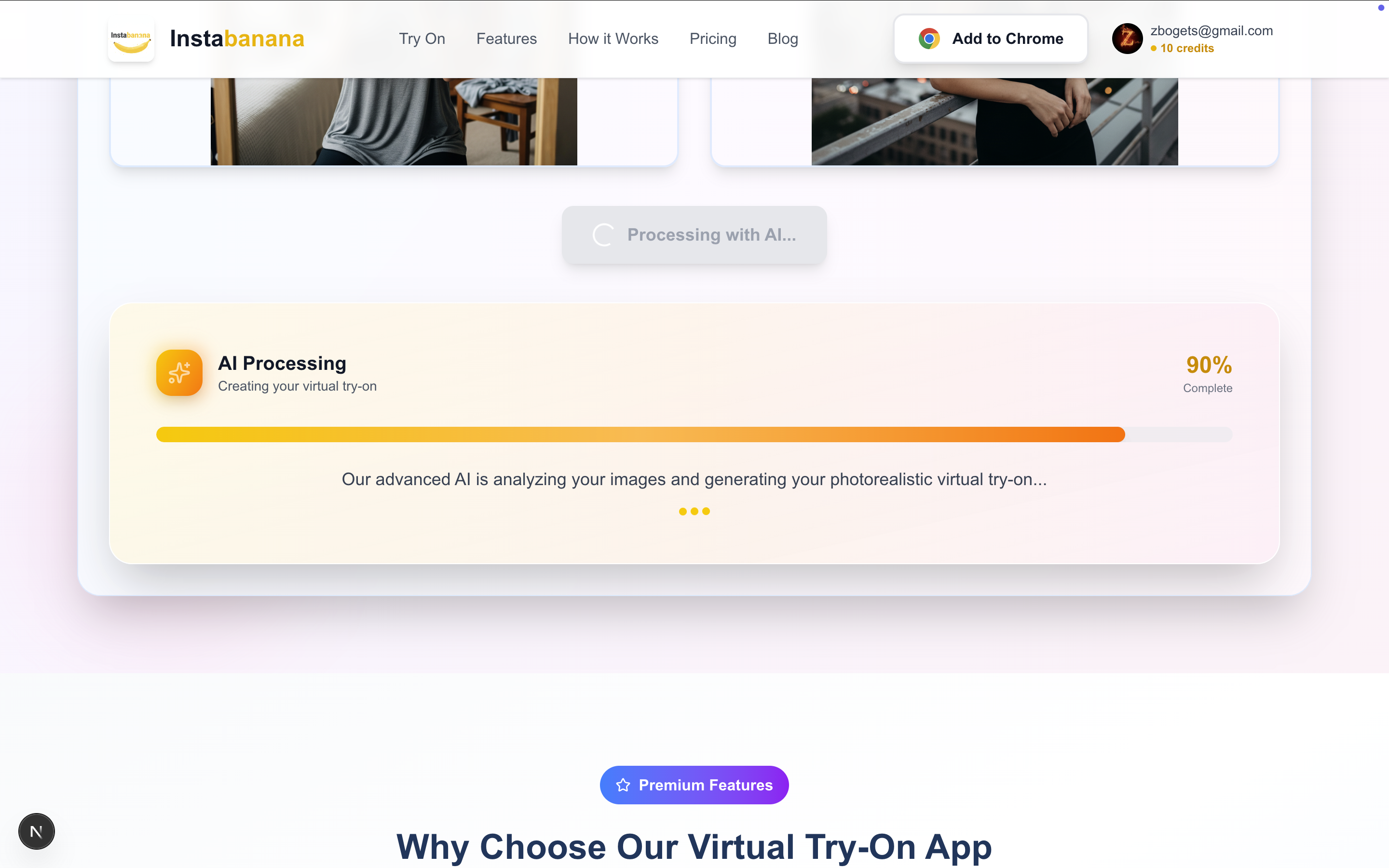 Step 3: AI processing - InstaBanana Virtual Try-On Tutorial
What Happens During Processing:
- The AI analyzes your body shape and proportions
- It maps the clothing item to fit your unique body type
- Advanced algorithms match lighting and shadows
- The system creates a photorealistic composite image
Processing Time: Typically takes just 10-30 seconds, depending on image complexity and server load. You'll see a progress indicator during this time.
Pro Tip: While waiting, you can browse other clothing items or read our fashion tips to make the most of your virtual try-on experience.
Step 4: View Your Virtual Try-On Results
Once processing is complete, you'll see your final virtual try-on result! This is where you can evaluate how the clothing item looks on you.
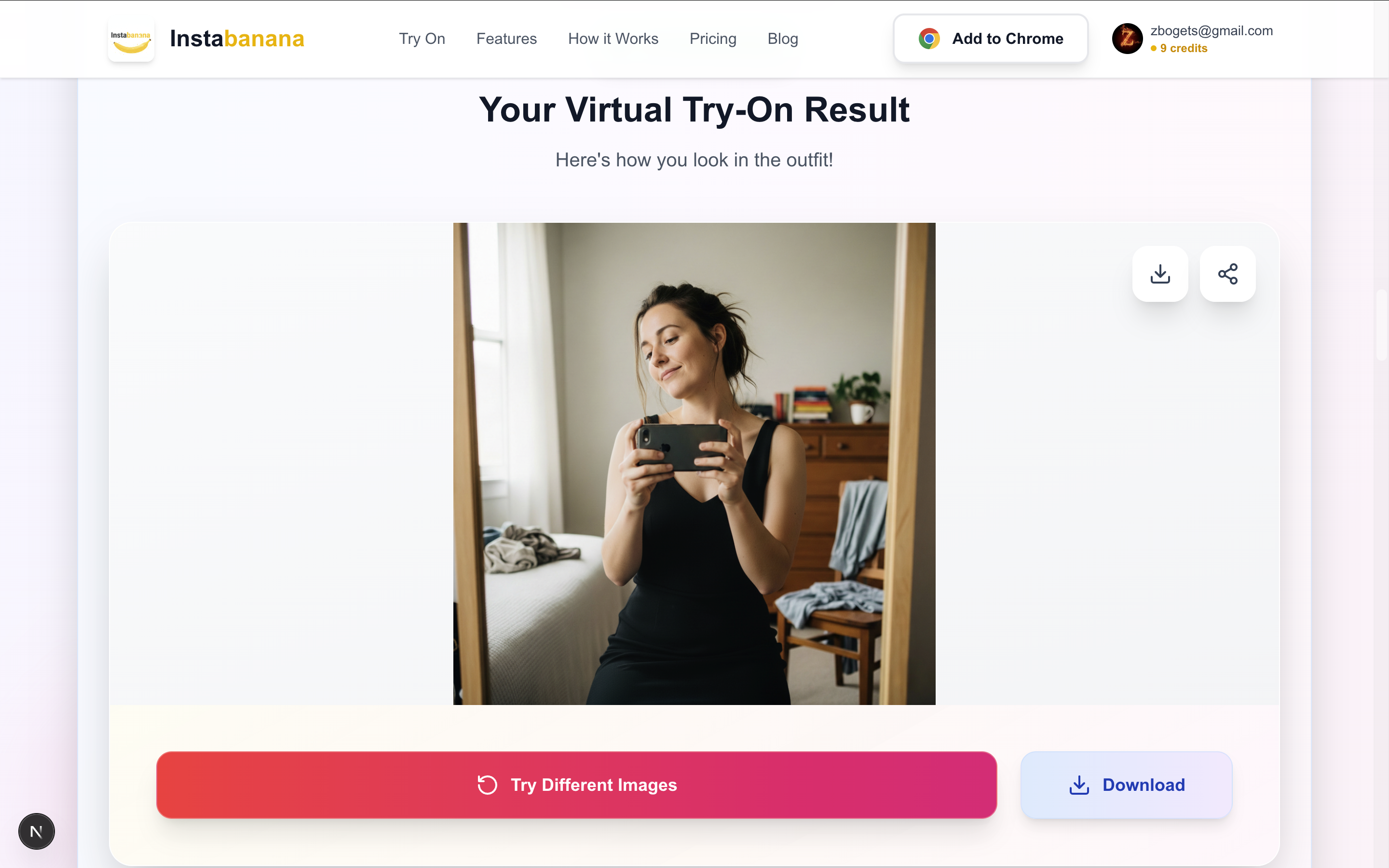 Step 4: View results - InstaBanana Virtual Try-On Tutorial
What to Look For:
- Fit: Does the clothing fit your body shape well?
- Style: Does the style complement your appearance?
- Color: Does the color work with your skin tone?
- Overall Look: Do you like how the outfit looks on you?
Next Steps After Viewing Results:
- Love It? Save the image and proceed with your purchase
- Not Sure? Try on different sizes or colors
- Want to Compare? Try on multiple items side-by-side
- Share It: Share your virtual try-on with friends for feedback
Tips for Getting the Best Virtual Try-On Results
To maximize the accuracy and quality of your virtual try-on experience, follow these expert tips:
Photo Quality Tips
- Use Natural Lighting: Natural light provides the most accurate colors and shadows
- Avoid Harsh Shadows: Stand in even lighting to prevent distortion
- Wear Fitted Clothes: Loose clothing can make it harder for AI to map your body shape
- Stand Straight: A natural, upright pose works best for virtual fitting
- Use a Plain Background: Busy backgrounds can confuse the AI processing
Clothing Selection Tips
- Choose Clear Product Images: The clothing image should be clear and show the item well
- Select Appropriate Items: Virtual try-on works best with tops, dresses, and outerwear
- Consider Your Body Type: Some styles work better for certain body shapes
- Try Multiple Options: Don't settle for the first result - try different styles
Advanced Tips
- Compare Multiple Items: Try on several items to find your perfect match
- Save Your Favorites: Keep track of items you love for later reference
- Share for Feedback: Get opinions from friends before purchasing
- Use the Chrome Extension: Try on items directly from shopping websites
Common Virtual Try-On Questions Answered
How Accurate is Virtual Try-On?
InstaBanana's AI technology provides highly accurate virtual try-on results. While it's not 100% perfect (as actual fit can vary), it gives you an excellent visual representation of how clothing will look on your body. The technology considers:
- Your body shape and proportions
- Clothing dimensions and style
- Lighting and shadows
- Fabric draping and texture
Can I Try on Any Clothing Item?
Yes! InstaBanana works with clothing items from virtually any online store, including:
- Amazon Fashion
- Zara
- ASOS
- H&M
- Forever 21
- And thousands more
Simply upload a photo of the clothing item or use our Chrome extension to try on items directly from shopping websites.
Is Virtual Try-On Free?
InstaBanana offers both free and premium options. You can try our virtual try-on feature with limited credits, or upgrade to a premium plan for unlimited virtual try-ons and advanced features.
How Long Does Virtual Try-On Take?
Most virtual try-on results are generated in 10-30 seconds. The processing time depends on:
- Image complexity
- Server load
- Clothing item details
Can I Use Virtual Try-On on Mobile?
Yes! InstaBanana's web platform is fully responsive and works great on mobile devices. You can also use our Chrome extension on mobile browsers that support extensions.
Using InstaBanana Chrome Extension for Virtual Try-On
For an even more seamless experience, try InstaBanana's Chrome extension. This allows you to:
- Try on clothes directly from shopping websites
- No need to leave the page - everything happens in your browser
- Instant access to virtual try-on on Amazon, Zara, and more
- Save time by skipping the upload process
Learn more about our Chrome extension and start trying on clothes from any shopping website today!
The Future of Online Shopping is Here
Virtual try-on technology is transforming how we shop online. With InstaBanana, you can:
- Reduce Returns: Make informed decisions before buying
- Save Money: Avoid purchasing items that don't fit or look good
- Save Time: Try on multiple outfits in minutes
- Shop Confidently: Know exactly how clothes will look on you
Start Your Virtual Try-On Journey Today
Ready to revolutionize your online shopping experience? Follow these simple steps:
- Visit InstaBanana: Go to our virtual try-on page
- Upload Your Photo: Use a clear, full-body photo
- Select Clothing: Choose items from your favorite stores
- See Results: Get instant, photorealistic virtual try-on results
Conclusion
Mastering virtual try-on with InstaBanana is easier than you think. By following this step-by-step guide, you'll be able to:
- Upload perfect photos for virtual fitting
- Get accurate, photorealistic results
- Make better online shopping decisions
- Reduce returns and save money
- Shop with confidence
The future of fashion shopping is here, and it's called virtual try-on. Start using InstaBanana today and experience the difference that AI-powered fashion technology can make in your shopping journey.
Ready to try it yourself? Start your virtual try-on now and see how easy and accurate AI fashion fitting can be!
Related Resources
- Virtual Try-On Benefits: Why It's Changing Online Shopping
- Best Practices for Online Fashion Shopping
- Understanding AI Fashion Technology
Keywords for SEO: virtual try-on, how to use virtual try-on, AI fashion, virtual fitting, online shopping guide, AI-powered fashion, try before you buy, fashion technology, virtual try-on tutorial, InstaBanana guide, virtual fitting room, AI clothing try-on, fashion tech, online shopping tips, virtual try-on app
Ready to Transform Your Shopping?
Try on thousands of outfits instantly with AI-powered virtual fitting. See how you look before you buy.
Start Virtual Try-On